More than one client
Four clients. One clock.
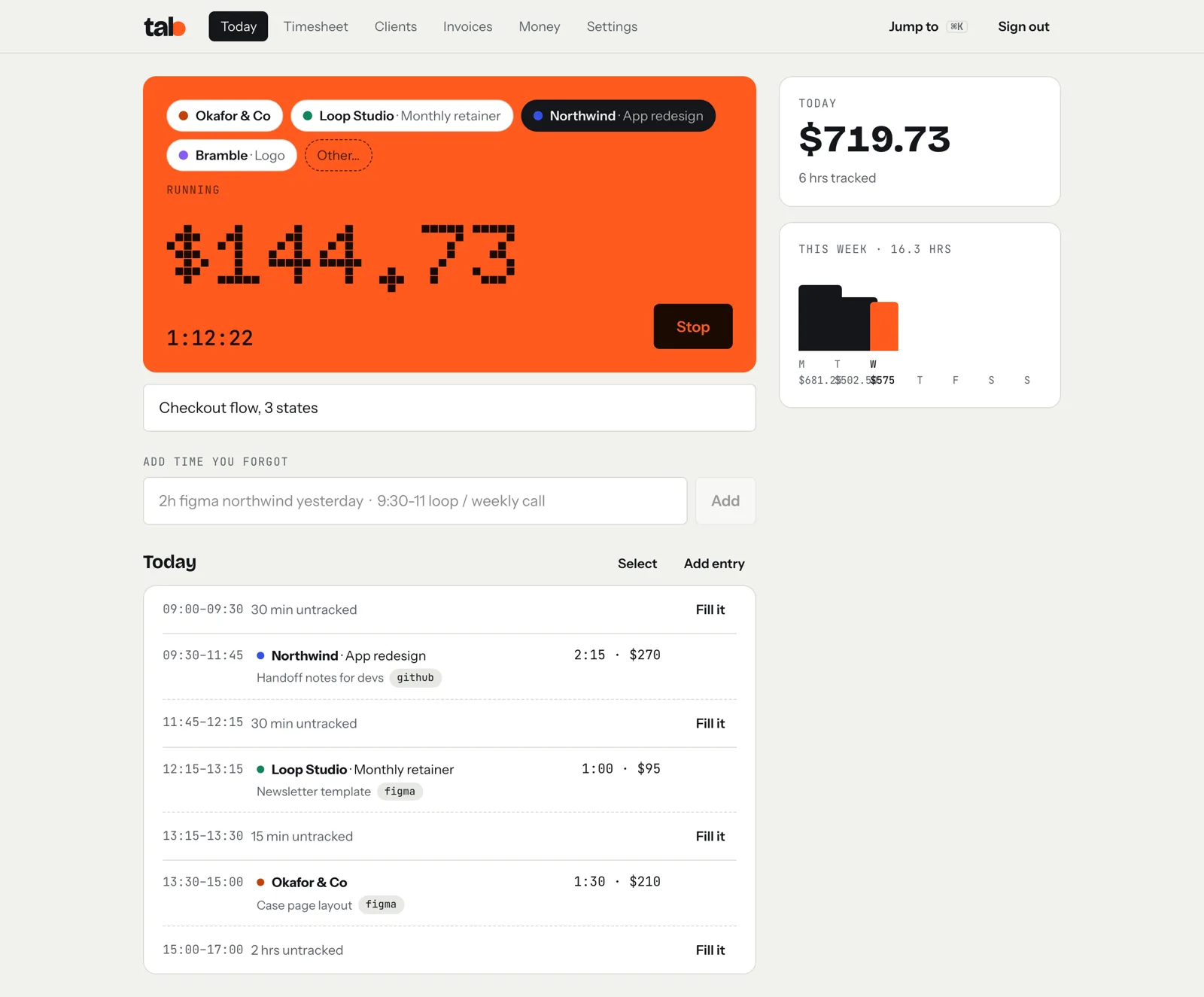
If your week has a few different jobs in it, tab keeps a meter for each one. Tap to switch, and the hours sort themselves.
Start your first meterFree. Email only, no card.
One tap to switch jobs.
A button per clientCleaning on Monday, lessons on Tuesday, a repair on Wednesday. Each one gets its own button and rate.
Tap to switchTap the next client and the last one stops at the same second. No gap, no overlap.
Friday is already doneEvery hour is on the right client's tab. Close it and send the invoice; they pay by card or bank.
Forgot to start it? Type “2h repairs yesterday” and it lands on the right client. On your phone, add tab to your home screen and it opens like an app.
Questions
Can each client have a different rate?
Yes. Set a rate per client, or per project, and the meter uses it.
What if I forget to switch?
Edit the time on the entry, or split it. tab also shows gaps in your day so you can fill them in.
Does it work on a phone?
Yes. Open app.tabwork.app and add it to your home screen; it opens like an app.
Every job on its own meter.
Add your clients with their rates, and tap the one you're working for. That's the whole setup.
Start freeFree to startNo cardNo screenshots, ever