Fixed-price work
What did that flat fee really pay?
Flat fee ÷ the hours it took = your real hourly rate. Try yours:
Real rate
$82/hr
34% under your rate
$2,300 would have paid your rate for the same hours.
Track your next flat feeFree. Email only, no card.
tab does this math as you work.
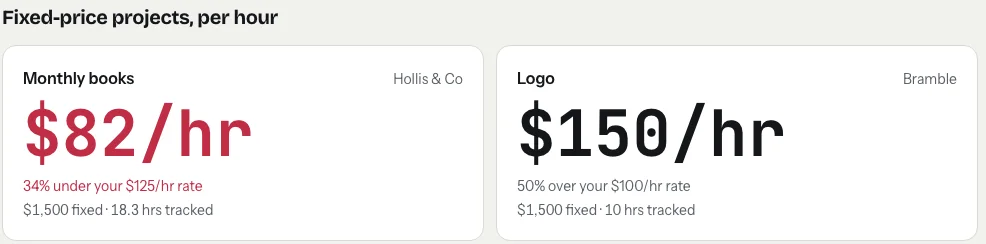
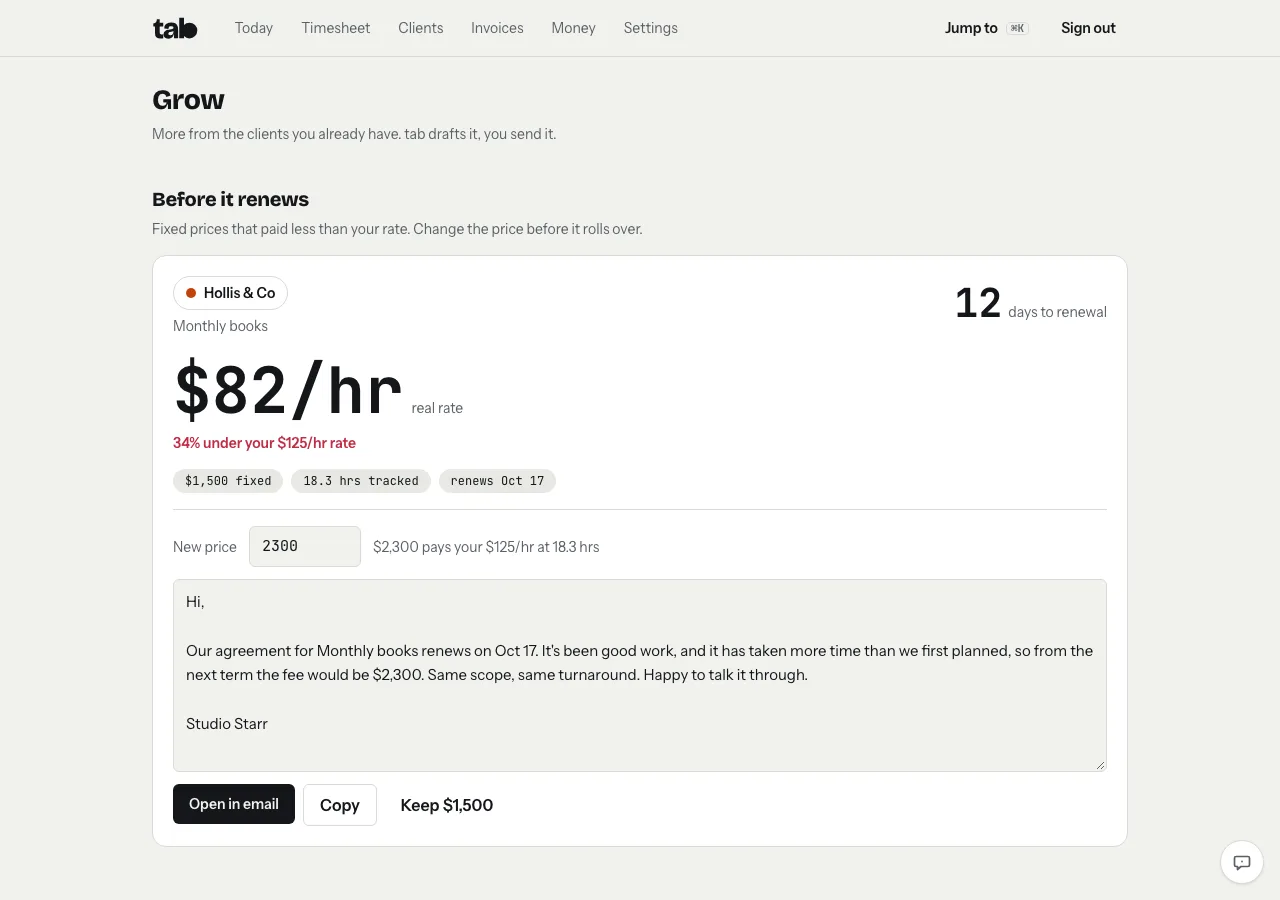
Before it renews, it tells you.
Give a fixed-price project a renewal date. If it ran under your rate, tab flags it a few weeks before, suggests the price that would pay your rate, and drafts a short note to the client. You send it from your own email.
Questions
Why track time on a flat fee at all?
Not to bill it. To see what the project really paid per hour, so you know which prices to raise and how long similar work takes next time.
What counts as an hour?
Every hour you log on the project, billable or not. Calls and revisions count, because they took your time.
Is it free?
Yes. Tracking, invoices and the real-rate view are free. tab only takes a small share of payments clients make online, and nothing on your first $2,000 a month.
Know what every price really pays.
Add your fixed-price projects, track like normal, and tab shows the real hourly rate on each one.
Start freeFree to startNo cardNo screenshots, ever