Live tab
Your client can watch the tab. Not your screen.
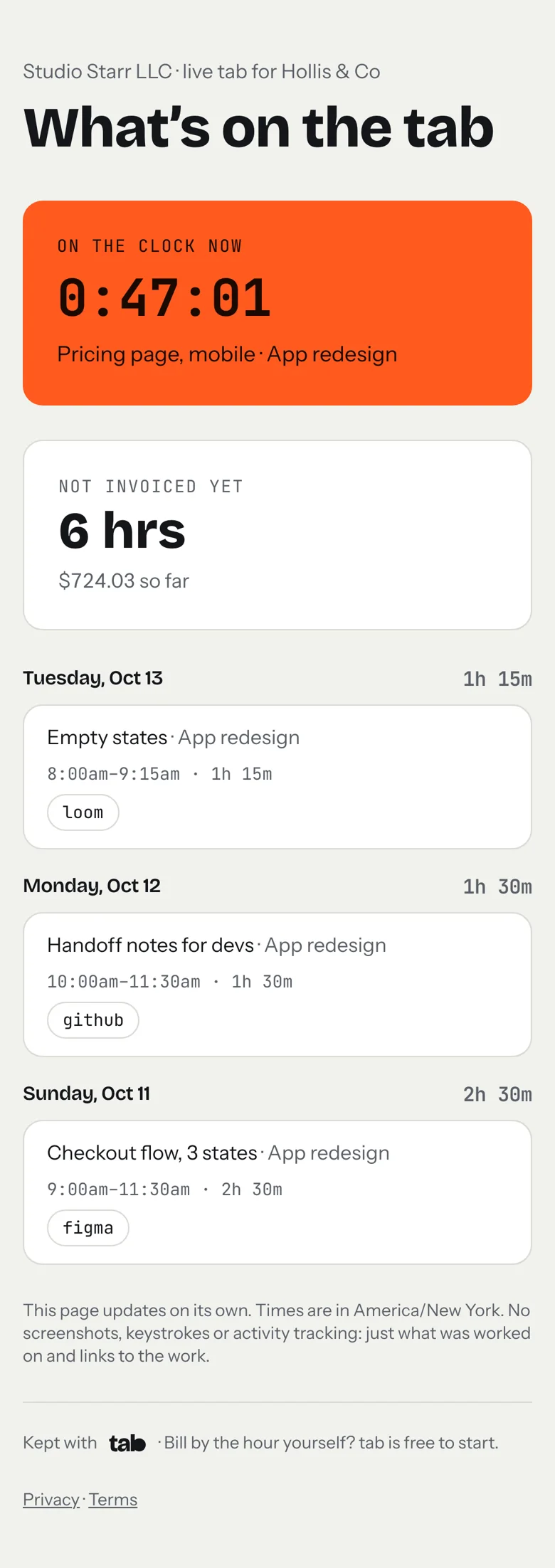
Send your client one private link. They see when you’re on the clock for them, your notes and links to the work, and what it adds up to before you invoice. It updates on its own, and they don’t sign up for anything.
Start freeFree. Email only, no card.
Proof of the work, not surveillance.
No screenshots, keystrokes or activity scores. Your client sees what you worked on and the links to the work itself: the Figma file, the pull request, the Loom. The same notes that end up on the invoice, so the invoice is never a surprise.
Questions
Does my client need an account?
No. The link is private and works on its own. Anyone with it can see that one client’s tab, so share it only with them.
Can I hide what I charge?
Yes. Turn off amounts for a client and they see hours only.
What if I don’t want a client to see it anymore?
Turn the link off on their page. The old link stops working right away; turning it back on makes a new one.
Does it show everything I track?
Only billable time that hasn’t been invoiced yet. Non-billable time never shows.
No more “where are we on this?” emails.
Track your time in tab and send each client their live tab. Free to start.
Start freeFree to startNo cardNo screenshots, ever