Notes · getting paid
How to email an invoice so it gets opened and paid
The subject line, what to say in the email, attachment or link, wording you can copy, and the right time to send.
Updated 2026-10-27
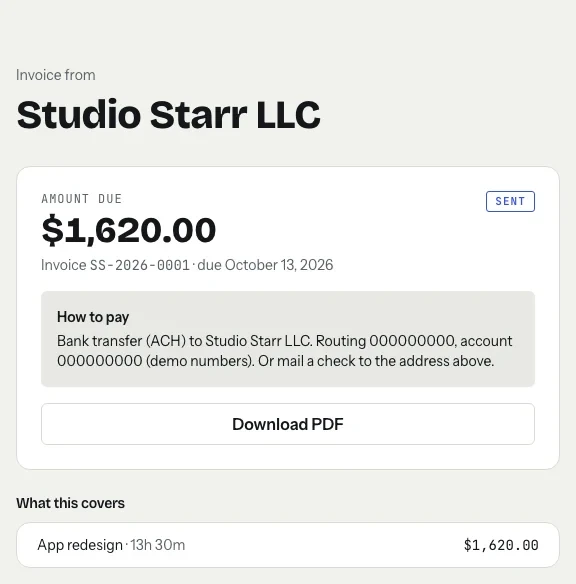
The invoice is done. Now it has to reach the right inbox, get opened, and get paid without a single back-and-forth. The email that carries it does more work than people think: a clear subject line gets it filed in the right place, and a short, complete message answers the questions that would otherwise delay payment. Like a letter in a wall of post office boxes, it only works if it lands in the right one.
Here is what to put in the subject line and the body, whether to attach a PDF or send a link, ready-to-use wording for the common situations, and when to send.
The subject line: number, name, amount
Your client may get many invoices from many people, and someone will search for yours later. Put the three things they search by in the subject line:
Invoice [number] from [your name or business]: [amount]
For example: "Invoice NW-2026-0014 from Studio Starr: $1,620.00". That is the exact pattern tab uses when it emails an invoice for you. Skip vague subjects like "Invoice" or "Hi!" and anything that looks like a marketing email.
What to put in the email
Keep the body short. Everything the client needs to approve and pay should be in it, so nobody has to open three attachments to find the due date:
- A one-line greeting by name.
- What the invoice covers: the project and the period, for example "the app redesign, October 1 to 31".
- The amount and the due date, written out in the email, not only in the PDF.
- How to pay: a pay link, or your bank details, or both.
- That the PDF is attached, if it is.
- An easy way to raise a question: "If anything looks off, just reply."
Leave out apologies ("sorry to bother you"), long explanations and anything about how much you need the money. An invoice is routine business. A plain, friendly tone gets it treated that way.
Attach a PDF, link to a pay page, or both?
A PDF attachment is a fixed record the client can save, forward to whoever pays the bills, and file. Invoice PDFs are small, well under the 25 MB limit Gmail sets for attachments on personal accounts; Gmail turns anything bigger into a Google Drive link (Google: Gmail attachment limits).
A link to an online invoice lets the client pay right away, by card or bank transfer, and always shows the current balance.
Best is both: the PDF for their records and a link for paying. tab's invoice emails do exactly this. They come from your name with replies going to your inbox, show the amount and due date at the top, include a "View and pay invoice" button, and attach the PDF.
Checked October 26, 2026.
Wording you can copy
Swap in your details. Each one is short on purpose.
When to send it
- Right after the work, or on your fixed billing day. The sooner it goes out, the sooner the clock on your payment terms starts. For example, bill hourly work weekly or at month end and project work at each milestone.
- On a working day, during working hours. An invoice sent on Friday night sits under the weekend's email.
- To the person who pays, not only the person you work with. Ask at the start of the project who should receive invoices, and copy your contact.
- After the client has seen the hours. Nothing on an invoice should be a surprise.
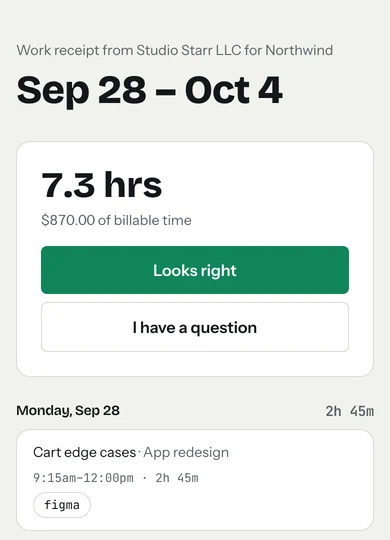
tab sends a weekly work receipt so the client approves the hours first; the invoice is then just the bill for something they already said yes to.
Before you hit send
A ten-second check saves a week of delay:
- Right client name and email address, spelled correctly.
- Invoice number, dates and amount match between the email and the PDF.
- A real due date, not "due on receipt".
- The PDF actually attached, or the link actually works.
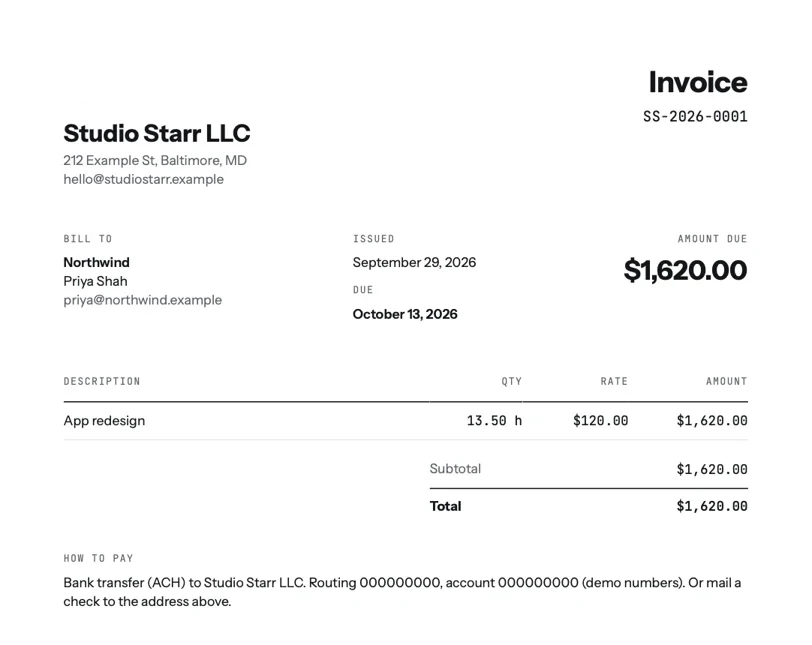
No invoice yet? The free invoice generator makes a PDF with a number and due date in a minute, and timesheet to invoice builds the line items from your hours. If the due date passes with no reply, the unpaid invoice follow-up guide has the next emails ready.
Keep reading

Questions
What should the subject line of an invoice email say?
The invoice number, your name or business, and the amount, for example: Invoice 0014 from Studio Starr: $1,620.00. That is what clients search by when they look for it later.
What do I write in an email when sending an invoice?
A short greeting, what the invoice covers, the amount and due date, how to pay, that the PDF is attached, and an invitation to reply with questions. Keep it to a few lines.
Should I attach the invoice as a PDF or send a link?
Both if you can. A PDF is a fixed record the client can file and forward; a link to an online invoice lets them pay right away and shows the current balance.
When is the best time to send an invoice?
As soon as the work is done or on your regular billing day, during working hours on a weekday, to the person who actually pays invoices.
Send the invoice in one tap.
tab turns your hours into an invoice and emails it from you, with the PDF attached and a link your client can pay online. Free to start, no account to try it.
Start free Try it, no sign-upFree to startNo cardNo screenshots, ever